Switching from Receipts & Payments (R&P) to Income & Expenditure (I&E) Reporting
The difference between the two methods
The R&P method is based on cash received and cash out so any differences relate to those items in the Income and Expenditure report that are of a non-cash nature. So things such as:-
- Any Depreciation charged
- Changes in any Customer balances from the start of the accounting period to those at the end
- Changes in any Supplier balances from the start of the accounting period to those at the end
- Purchases or disposals of investments or fixed assets
- Any journals that have been posted to income or expenditure accounts with the exception of system payroll journals charging expenditure accounts
- Changes in the value of any other non cash asset or liability
Fund balances under the R&P method are the cash funds of the bank account balances and cash on hand. Whereas under I&E fund balances will include resources that have been applied to assets and liabilities that are not cash or cash equivalents.
When to make the switch?
A change to the Income and Expenditure basis will usually be done from the start of a new reporting year. Note the system SoFA report in that year after the switch will be on the I&E basis, and if a comparative is requested that will too will be on the new basis.
So to proceed, review the guide for the particular situation that applies:-
- The organisation has only bank account and cash balances
- The organisation has assets and/or liabilities recorded on the system
- The organisation has assets and/or liabilities
NOT recorded on the system
The organisation has only bank account and cash balances
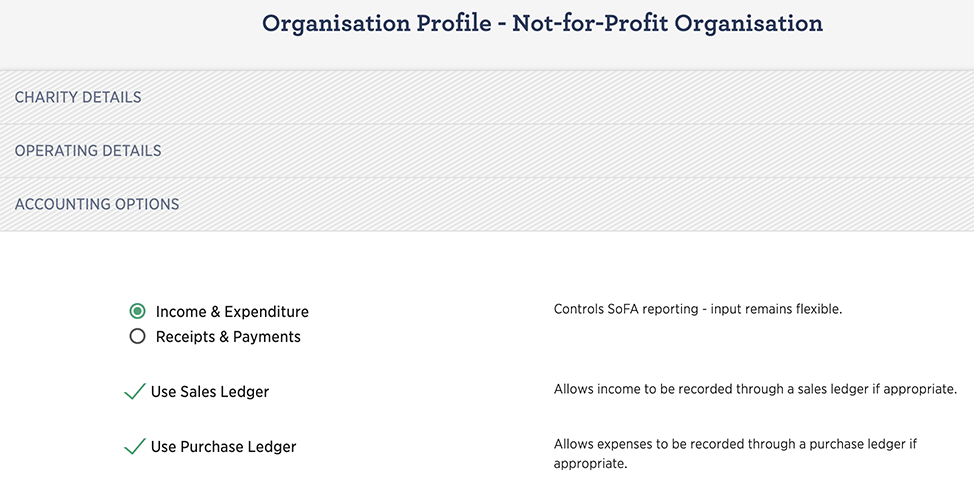
This is the easiest situation, simply navigate to the Accounting Options of the Organisation profile and select the Income and Expenditure option (see below) and click SUBMIT.
The organisation has assets and/or liabilities recorded on the system
Enter any remaining asset and liability transactions for the final R&P year. Run the Balance Sheet report for the end of that year and ensure the balances are as expected. They will become the opening position for the new I&E reporting year.
Inspect the bank account and cash balances on the balance sheet and confirm that the closing fund balance on the Statement of Receipts and Payments is the same figure. Any differences will need to be investigated and adjusted.
If the organisation has Credit Card account types set up and there are balances at the year due to the credit card provider(shown as a current liability on the balance sheet) these will need to recorded as paid on the system to clear the balance and reflect the cash out.
When ready simply navigate to the Accounting Options of the Organisation profile and select the Income and Expenditure option (see below) and click SUBMIT.
The organisation has assets and/or liabilities
NOT recorded on the system
The details of asset and liability balances on the last day of the prior year will need to be gathered. Then add appropriate accounts to the system if they do not already exist. Use Add Standard Accounts for Add Custom accounts.
Where Tangible Fixed Assets and/or Investments are needed to be added then switch-on both the Asset Register and/or Investment Ledger (Control - Organisation Profile - Optional Features Tab)
Where there are closed years on the system the original opening balance routine will no long be available; opening balances will need to entered using journals. However, If they prefer a user can re-open all prior years to use the Opening Balance routine (not recommended); if not then follow the link for a document describing the Transition Process.